

Smart Lighting Systems: What They Can and Cannot Do for Your Home

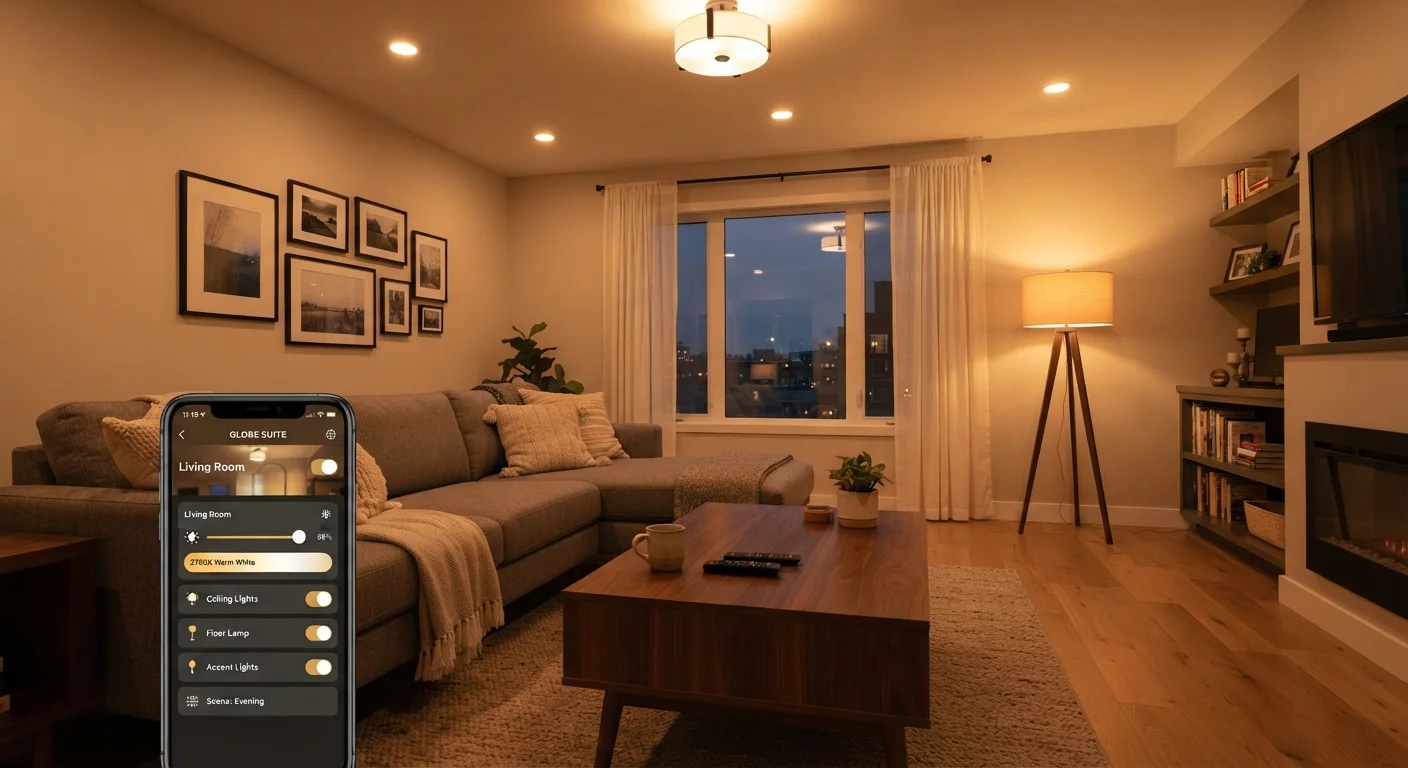
Photo: signaturehomeideas.com editorial
Key Takeaways
- Smart lighting systems offer genuine scheduling, dimming, and color control from a phone or voice assistant.
- Most systems require a stable Wi-Fi or hub connection to function reliably.
- Upfront costs are higher than standard bulbs, and not all fixtures or dimmers are compatible.
- Smart bulbs draw a small amount of power even when switched off at the wall.
- DIY installation is possible for most smart bulbs, but wiring changes still require a licensed electrician.
Remote and voice control from anywhere
You can turn lights on or off, adjust brightness, or change color temperature through a phone app or a compatible voice assistant, whether you are in the next room or away from home.
Scheduling reduces wasted energy
Automated schedules can turn lights off when rooms are typically empty, which cuts unnecessary run time without relying on anyone remembering to flip a switch.
Dimming and color temperature flexibility
Many smart bulbs let you dial between warm and cool white light, which is useful for shifting from task lighting during the day to softer ambient light in the evening.
No special wiring needed for bulb-based systems
Replacing a standard bulb with a smart bulb requires no electrical work beyond screwing it in, making it accessible to most homeowners without professional help.
Motion and occupancy integration
When paired with compatible sensors, smart lighting can turn on automatically when someone enters a room and off when the space has been empty for a set period.
Higher upfront cost per bulb
Smart bulbs typically cost several times more than equivalent LED bulbs, so outfitting a whole home can represent a significant initial investment.
Dependent on Wi-Fi or a separate hub
If your router goes down or you change your network password, smart bulbs stop responding to app or voice commands until the connection is restored.
Standard wall switches can break the setup
Turning a smart bulb off at a conventional wall switch cuts power to it entirely, so the app cannot turn it back on until someone flips the switch again. This confuses many households.
Standby power draw adds up
Smart bulbs stay connected to your network even when the light appears off, consuming a small but continuous amount of electricity around the clock.
Compatibility gaps with existing dimmers
Many smart bulbs are not compatible with older dimmer switches, and mixing them can cause flickering or shorten bulb life. Check dimmer compatibility carefully before purchasing.
App and ecosystem fragmentation
Different product lines often require separate apps or hubs, and a platform that loses support can leave your devices without updates or cloud functionality.
How smart lighting systems actually work
A smart lighting system replaces or supplements standard light bulbs and switches with connected devices that communicate over Wi-Fi, Zigbee, Z-Wave, or Bluetooth. Most consumer setups fall into one of two approaches: smart bulbs that screw into existing fixtures, or smart switches that replace the wall switch and control ordinary bulbs wired behind them.
Bulb-based systems are easier to install because no wiring changes are needed. Switch-based systems are more discreet and work with any bulb, but replacing a switch does involve wiring and should be handled by a licensed electrician if you are not confident with that work.
Once connected to your network or a dedicated hub, the devices accept commands from a phone app, a voice assistant, or automated schedules you set yourself. Some systems work entirely on your local network; others route commands through a manufacturer's cloud servers, which means a service outage or a company closing can affect functionality. Before committing to a platform, it is worth checking whether the system supports local control as a fallback.
What smart lighting does well
Remote and voice control from anywhere
You can turn lights on or off, adjust brightness, or change color temperature through a phone app or a compatible voice assistant, whether you are in the next room or away from home.
Scheduling reduces wasted energy
Automated schedules can turn lights off when rooms are typically empty, which cuts unnecessary run time without relying on anyone remembering to flip a switch.
Dimming and color temperature flexibility
Many smart bulbs let you dial between warm and cool white light, which is useful for shifting from task lighting during the day to softer ambient light in the evening.
No special wiring needed for bulb-based systems
Replacing a standard bulb with a smart bulb requires no electrical work beyond screwing it in, making it accessible to most homeowners without professional help.
Motion and occupancy integration
When paired with compatible sensors, smart lighting can turn on automatically when someone enters a room and off when the space has been empty for a set period.
The practical benefits are most noticeable in rooms you use on a predictable schedule, such as a home office that lights up at 8 a.m. and dims at 6 p.m., or a porch light that turns on at sunset without any manual input. Color temperature control is a genuine comfort feature: cooler white light (around 4000K to 5000K) supports alertness during work hours, while warmer tones (2700K to 3000K) are easier on the eyes in the evening. For more on how lighting color affects a space, common lighting myths worth correcting covers several misunderstood concepts.
Motion-triggered smart lighting is particularly useful for hallways, garages, and outdoor paths. Paired with outdoor fixtures, it can improve security without requiring a dedicated security system. Outdoor lighting strategies explains how to layer security, ambiance, and efficiency in that context.
Where the limitations show up
Higher upfront cost per bulb
Smart bulbs typically cost several times more than equivalent LED bulbs, so outfitting a whole home can represent a significant initial investment.
Dependent on Wi-Fi or a separate hub
If your router goes down or you change your network password, smart bulbs stop responding to app or voice commands until the connection is restored.
Standard wall switches can break the setup
Turning a smart bulb off at a conventional wall switch cuts power to it entirely, so the app cannot turn it back on until someone flips the switch again. This confuses many households.
Standby power draw adds up
Smart bulbs stay connected to your network even when the light appears off, consuming a small but continuous amount of electricity around the clock.
Compatibility gaps with existing dimmers
Many smart bulbs are not compatible with older dimmer switches, and mixing them can cause flickering or shorten bulb life. Check dimmer compatibility carefully before purchasing.
App and ecosystem fragmentation
Different product lines often require separate apps or hubs, and a platform that loses support can leave your devices without updates or cloud functionality.
Electrical work still needs a professional
The wall switch problem catches many homeowners off guard. Because a smart bulb needs constant power to stay connected, any household member who uses the physical switch as normal will cut that power and effectively take the bulb offline. Some households solve this by taping over switches or replacing them with smart switches, but each approach has trade-offs in usability and cost.
Ecosystem lock-in is another practical concern. If you build a setup around one platform and that platform changes its pricing, drops local-control support, or exits the market, your devices may lose features or become harder to manage. Checking whether a system supports open standards such as Matter can reduce this risk, since Matter-certified devices are designed to work across multiple platforms.
Deciding whether smart lighting fits your home
A smart lighting setup works best when your Wi-Fi signal reaches every fixture you want to connect, your household is willing to adjust how it uses wall switches, and you have a clear use case such as scheduling or dimming that justifies the higher per-bulb cost.
If your main goal is dimming control, a conventional dimmer switch paired with dimmable LED bulbs costs less and involves no ongoing connectivity requirements. What to know before installing a dimmer switch walks through compatibility and when to call a professional.
Smart lighting is less practical in rentals where you cannot modify switches, in rooms with inconsistent Wi-Fi coverage, or in homes where multiple people will override the system with manual switches. In those situations, the convenience benefit largely disappears and the higher cost is harder to justify.
This article is for informational purposes only. Electrical work involves safety risks and may require permits or a licensed professional depending on your local codes. Verify requirements with your local authority before starting any wiring project.
The content provided on our blog site traverses numerous categories, offering readers valuable and practical information. Readers can use the editorial team’s research and data to gain more insights into their topics of interest. However, they are requested not to treat the articles as conclusive. The website team cannot be held responsible for differences in data or inaccuracies found across other platforms. Please also note that the site might also miss out on various schemes and offers available that the readers may find more beneficial than the ones we cover.